FREE SHIPPING FOR ORDERS OVER $100

AI Glasses Care Guide: Cleaning, Battery Life, Waterproofing, Troubleshooting & Charging
Cleaning Camera & Lenses – Scratch-Free Every Time
Keeping your AI glasses crystal-clear starts with proper cleaning technique. Never use paper towels, tissues, or clothing—these contain abrasive fibers that can scratch both the camera lens and display optics. Instead, use a microfiber cloth designed for eyewear. For stubborn smudges, lightly mist the lens with a lens-safe cleaning solution (never spray directly on the glasses—apply to the cloth first). Wipe in gentle circular motions, starting from the center and moving outward. For the camera lens, use a separate dry microfiber cloth to avoid transferring oils from the display surface. Avoid alcohol-based cleaners, as they can damage anti-reflective coatings. Clean your smart glasses daily to prevent dust buildup, which can degrade image quality over time. Store them in the provided protective case when not in use to minimize exposure to particles.
Extending Battery Service Life – Charge Smart, Last Longer
Maximizing the battery life of your AI eyewear requires mindful charging habits. First, avoid letting the battery drain completely to 0%—this stresses lithium-ion cells. Instead, recharge when the battery drops to around 20–30%. Second, unplug the glasses once they reach 100%; overcharging generates excess heat that accelerates battery degradation. For daily use, keep the glasses in a cool, dry environment—extreme heat (above 35°C) and extreme cold (below 0°C) both harm battery chemistry. If you are storing the glasses for an extended period, charge them to about 50–60% and recharge every three months to maintain healthy cell voltage. Avoid using the glasses while charging, as this generates additional heat. Following these steps will significantly extend the battery service life of your smart glasses, ensuring they last through many travel and workdays.
IP65 Waterproofing – Daily Usage Notes
The IP65 waterproof rating on most AI glasses means they are splash-resistant, not waterproof. This protects against sweat, light rain, and accidental splashes—but you should never submerge them in water or wear them in heavy downpours. After exposure to moisture, gently pat dry with a soft cloth—do not rub. Pay special attention to the charging contacts and speaker grilles; these areas are most vulnerable to water intrusion. Avoid wearing your smart glasses in high-humidity environments like saunas or steamy bathrooms, as condensation can form inside the frame and damage internal electronics. If the glasses get wet, power them off immediately and let them air-dry completely before charging or using again. Remember: IP65 is designed for active lifestyles, not aquatic activities—treat your smart eyewear with care around water.
Common Troubleshooting – No Sound or Camera Failures
If your AI glasses suddenly have no audio output, start with the basics: check Bluetooth connection status and ensure the volume is not muted on both the glasses and the paired device. Next, verify that the speaker grilles are not blocked by dirt or earwax—gently clean them with a dry brush. If the camera fails to respond, restart the glasses by power-cycling them (turn off, wait 10 seconds, and turn back on). Check if the storage is full; if so, transfer or delete old footage to free up space. For persistent issues, perform a factory reset (refer to your device’s reset procedure) and re-pair with your phone. Ensure the companion app is updated to the latest version, as outdated software often causes functionality bugs. If none of these steps resolve the problem, contact customer support—but most common failures are resolved with these simple troubleshooting checks.
Magnetic Charging – Maintenance Tips for Reliable Connection
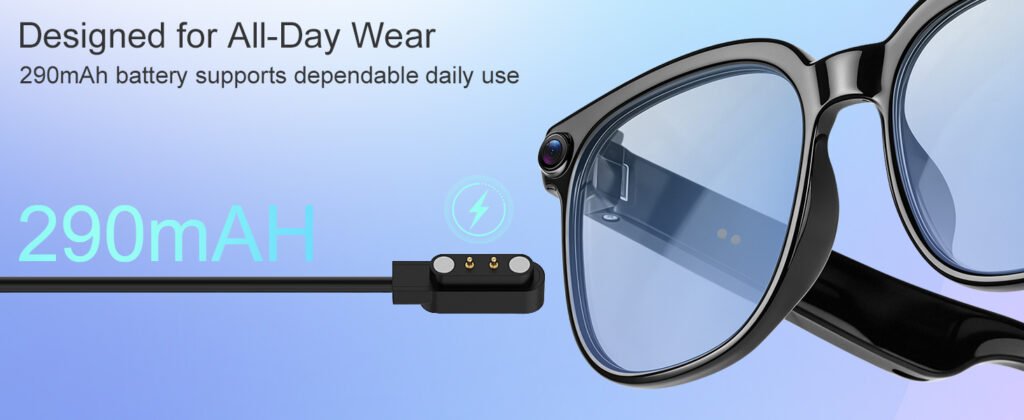
Magnetic charging is a convenient feature of many smart glasses, but the pins and contacts require regular care to maintain a reliable connection. After each use, wipe the charging contacts on both the glasses and the cable with a dry cloth to remove sweat, dust, or oils that can cause poor connectivity. Avoid using metal tools to clean the contacts—they can scratch the delicate pin surfaces. When connecting the charger, ensure the magnets snap into place fully; a partial connection may not charge the battery or could cause intermittent charging cycles. Keep the charging cable away from moisture and store it in a dry location. If you notice corrosion or discoloration on the contacts, gently clean them with a cotton swab lightly dampened with isopropyl alcoho.