FREE SHIPPING FOR ORDERS OVER $100

FREE SHIPPING FOR ORDERS OVER $100
Product & Core Features
1. What Core Functions Do These AI Smart Glasses Support?
Our AI Glasses Support 8MP Camera And 1080P HD Video Recording, Real-Time Multi-Language AI Translation, Bluetooth Hands-Free Calls, Music Playback, Voice AI Assistant And One-Touch Navigation. All AI Responses Are Delivered Via Built-In Open-Ear Speakers.
2. Does The Glasses Have A Built-In Display / Hud Screen?
No Hud Screen. All AI Voice Prompts, Translation Results And Navigation Guidance Are Played Through Audio Speakers To Avoid Eye Strain.
3. How Many Languages Does The Real-Time AI Translation Support?
Supports 32 Mainstream Languages Including English, French, German,Spanish,Italian,Japanese,Polish,Czech,Danish,Hungarian,Portuguese,Korean,Greek,Dutcg,Swedish,Arabic,Estonian,Bulgarian,Croatian,Latvian,Finnish,Lithuanian,Slovenian,Slovak,Lcelandic,Romanian,Norwegian,Ukrainian,Russian,Turkish,Hebrew,Chinese For Travel & Daily Conversation.
4. What’S The Camera Resolution?
8MP HD Camera, Supports 1080p Video Recording
5. Can I Use The Voice Assistant Offline?
Basic Photo/Video/Music Control Works Offline. AI Translation, Voice Chat And Navigation Require Bluetooth Connection To Your Phone.
6. Are The Speakers Open-Ear? Will Others Hear My Calls?
Dual Speakers,Directional Sound Output,Accurate And Efficient Sound Transmissionensures Directional Audio Delivery,Enhancing Sound Privacy.
Connection Compatibility
1.Which Phones Are Compatible?
IOS/ Android, Connect Via Bluetooth. Full AI Functions Require Our Official App.
2.Bluetooth Disconnects Frequently, How To Fix?
Keep Phone Within 10 Meters, Remove Redundant Bluetooth Devices, Restart Glasses And Re-Pair.
3.How To Pair Bluetooth?
Phone Pairing: 1. Press And Hold The Front Button On The Right Temple Of The Glasses To Power On; The Blue Indicator Light Will Flash Like A Breathing Light. 2. Turn On Bluetooth And Location Services On Your Phone, Open The Heycyan App, Tap “Connect Device,” Search For The Glasses’ Name, And Tap “Pair.” 3. Wait A Few Seconds. If Your Phone Displays A Pop-Up Window With An Address Code Asking If You Want To Allow Pairing, Tap “Allow.”
Note: 1. When Importing Footage To The App, Please Allow Network Access. 2. To Power Off The Glasses, First Turn Off Your Phone’s Bluetooth, Unpair The Glasses, Then Press And Hold The Front Button On The Right Temple Of The Glasses For 5 Seconds To Power Off.
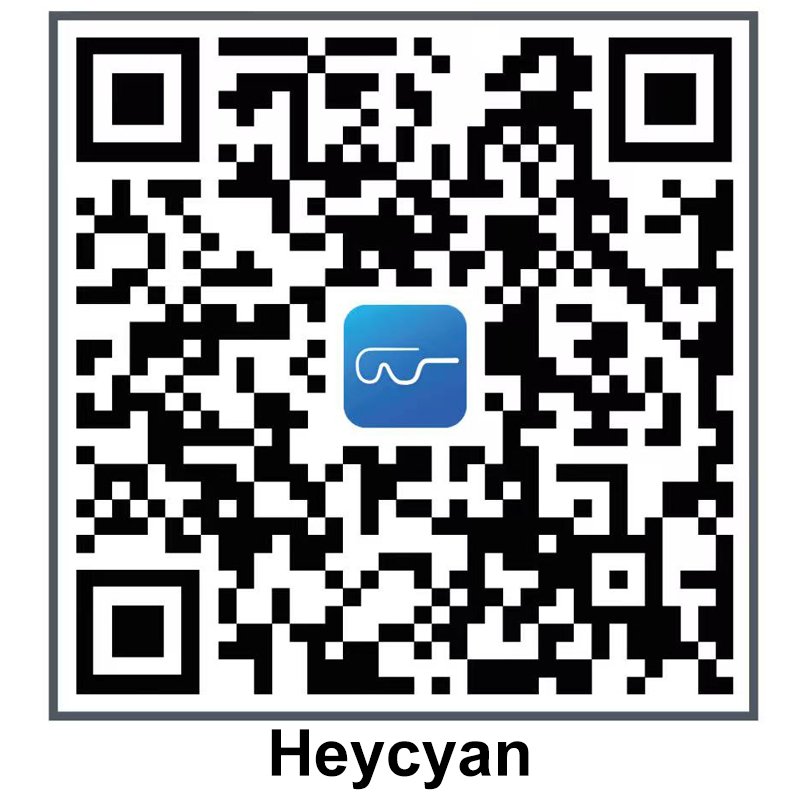
4.How To Download The Dedicated App?
Method 1: Please scan the QR code below with your mobile phone to download and install the application.
Method 2: Search For “Heycyan” In The App Stores Of Major Mobile Phone Brands (Such As Android Or Apple), Download And Install It.

Battery & Charging
1.How Long Is The Full-Charge Battery Life?
Standby 72h,7h Music Play,4h Talk Time
2.How Long To Fully Charge?
2-Hour Charge
3. What If The Glasses Fail To Charge?
Wipe The Metal Charging Contacts On The Temple Arms With A Dry Cloth; Re-Align The Magnetic Charger Firmly.
Lens & Prescription
1.Can I Install Myopia Prescription Lenses?
You Can Take Frames To Local Optical Shops After Delivery.
2.Are The Lenses Uv Protective?
Adaptive Color-Changing Lenses Help Reduce Blue Light And Uv Exposure
3. Can I Replace The Lenses Myself?
We Recommend Professional Opticians To Replace Lenses To Avoid Damaging The Built-In Camera And Sensor Modules.
Waterproof, Size & Daily Use
1. Are The AI Glasses Waterproof?
IP65 Waterproof,For Worry-Free Wearing,Precision-Engineered Structure With Professional Splashresistance, Fearless Of Sweat Or Rain, Effortlesslyadapting To All Environments.
2. Do You Offer Multiple Frame Sizes?
Standard One-Size Frame With Adjustable Silicone Nose Pads To Fit Most Face Shapes; Spare Nose Pads Are Included In The Package.
3. Can I Wear Them For Long Hours?
Lightweight Lightweight Alloy Frame, Only 41.3g, Designed For All-Day Comfortable Wear Without Pressure On Your Nose.
Order&Shipping
1. How Long Is The Order Processing Time?
2–3 Business Days
2. How Long Will Delivery Take To US/EU?
We Ship From Our Us Warehouse, With Fast Delivery Within The Us In 7-14 Days And Express Delivery In 3-5 Days. Delivery Within The Eu Takes 7-14 Days.
3. How To Track My Order Logistics?
Copy Your Tracking Number On Our Services Page To Check Global Logistics Via Our Built-In Tracking Tool.
Troubleshooting
1. The Camera Cannot Take Photos/Videos?
Check The Glasses Battery Level; Re-Pair Bluetooth; Update The App To The Latest Version.
2. AI Translation Function Fails To Work?
Confirm Your Phone Has Stable Internet; Select The Correct Target Language In The App.
3. No Sound From The Speakers?
Adjust The Volume On Your Phone; Check If The Glasses Are Connected To Other Audio Devices.
4. The Glasses Cannot Power On?
Charge The Glasses For At Least 30 Minutes Then Long-Press The Power Button To Restart.
Contact Support
1. I Can’T Find Answers To My Questions Here, How To Get Support?
Email Our Customer Team: cybrenus@outlook.com
2. What’S Your Customer Service Response Time?
We Reply To All Emails Within 24 Working Hours From Monday To Friday.